
 Module Four: FTP and Telnet
 Become familiar with Telnet and the basics of FTP
Learn how to use Telnet and FTP to retrieve files and view resources
Learn to access archived or compressed "zippped" files and graphics
After telnetting to "dra.library.ualberta.ca", I did a direct search on the subject "Electronic Communications" and found the following citation:
(Record 2 of 14) AUTHOR: Canada. Information Highway Advisory Council. TITLE: Canada's information highway : building Canada's information and communications infrastructure : providing new dimensions for learning PUBLISHER: Information Highway Advisory Council, 1994. SUBJECTS: Telecommunication policy--Canada. Telecommunication systems--Canada. Computer networks--Canada. Internet (Computer neI pressed ENTER and found:No holdings at this location. (ENTER) for holdings at other locations.
(Record 2 of 14) Canada. Information Highway Advisory Council. Canada's information highway: building Canada's information and communications infrastructure: providing new dimensions ... Ottawa: Information Highway Advisory Council, 1994. HOLDINGS AT OTHER LIBRARIES: UA Rutherford South Gov Pub 1. CALL NUMBER: GOV DOC CA1 C 2-229/ 2- 1994 -- c.2 -- GOV PUB -- Available 2. CALL NUMBER: GOV DOC CA1 C 2-229/ 2- 1994 -- c.3 -- GOV PUB -- Available UA Coutts Floor2 Education 3. CALL NUMBER: HC 120 I55 C36 1994 -- c.1 -- BOOK -- AvailableReturn to Assignments
MUds, MUSHes and MOOs are interactive sites on the Internet. I chose to enter a MUSH game. I "telnetted" to the MUSH site AVALON-RPG.COM.
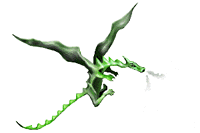
SKYE:I chose not to register. The game seems interesting but very time consuming, and there are so many other things I have to learn about the Internet before I spend hours in a MUSH world.You are a commoner of Springdale. Your tax bill is 0gp. Earnings this month are 0gp. You do not belong to any guild. You have no specific profession. Your novicehood has 298 minutes to go. See HELP NOVICE. You are holding 0 gold coins. You have 0gp in Mercinae, 0gp in Thakria and 0gp in Springdale. Health: 70 out of 70 Mana: 70 out of 70 You are holding nothing. You are 20 years old. You were born on the 9th of Eleuthral, 946 years after the Divine War. Today is your birth-day!
Skye was alive for only seconds when a "sage" approached her and tried to welcome her to AVALON:
The sage smiles and states that, "You should now register your details with Avalon before we continue." - "Registering with Avalon stores your character here for a long while - unregistered characters are regularly deleted to make room for new ones." - Somebody shouts, "Name ????". - "The full introduction, which I am happy to give you, takes between one and two hours, so register first.". To register, type REGISTER now. The sage will wait for you. -
NIC.MERIT.EDU/introducing.the.internet/how-to-get.cruise

 THE INTERNET CRUISE

 Merit's "Cruise of the Internet" is a computer-based tutorial for new
 as well as experienced Internet "navigators."  The Cruise will
 introduce you to Internet resources as diverse as supercomputing,
 minorities, multimedia, and even cooking. It will also provide
 information about the tools needed to access those resources.

 The Cruise is designed to run on either Macintosh or DOS-compatible
 computers that meet the following specifications:

 Mac - A Macintosh II, LC or Quadra series computer
     - 8-bit color and any color monitor  (12" minimum)
     - System 6.05 or 7.x
     - Approximately 3 MB of disk space
     - 4 MB RAM is recommended

 DOS - An IBM-DOS or DOS-compatible computer
     - XGA- or XGA-compatible adapter set to display 256 colors at
     640x480
     - Microsoft Windows(TM) version 3.1 running in enhanced mode
     - Approximately 1.5 MB of disk space
     - 2 MB RAM minimum

 The Cruise does not require Internet connectivity in order to run,
 but you must have connectivity in order to obtain a copy of it for
 your own use. You may obtain the instructions for downloading it via
 email, but you cannot obtain the Cruise itself via email. Use FTP to
 get a copy of the Cruise (DOS users must remember to give the
 "binary" command before transferring the file; Mac users with
 Internet connectivity may prefer to use Fetch instead of FTP).

 If your Mac/PC doesn't have direct connectivity, but you have an
 account on another computer that is connected, you may still be
 able to get the Cruise.  Use FTP to get a copy of the Cruise on
 your account (DOS users must still give the "binary" command
 before transferring the file). If you don't already know how to
 download the file from that computer to your own computer,
 contact your local help-desk.  You should tell the
 consultant that you FTP'ed a program to their computer
 and that you need help downloading it from there to your own
 computer.

 Detailed instructions for obtaining the Cruise over the net
 may be obtained by sending email to nic-info@nic.merit.edu with
 either
              get merit.cruise2.mac.readme
 or
              get merit.cruise2.win.readme
 as the text body.  Alternatively, you may use Anonymous FTP
 to retrieve the same files from the /nsfnet/resources/cruise.mac
 and /nsfnet/resources/cruise.dos directories, respectively.
 See above for more information about using these tools.

 NOTE:  Merit's "Cruise of the Internet" was produced in 1992, and
 has not been updated to include Internet innovations since that time.
 In particular, while the Cruise covers such services as Gopher and
 telnet, it does not discuss the World Wide Web.  The Cruise remains
 useful for learning about non-Web technologies that are still in
 use on the Internet.
ZIPPING: Before you begin, you should know the name of the file that you want to archive.UNZIPPING:
- Click on "New" to create a new archive.
- Enter the file name into the "file name" box.
- Click "OK".
- The directory in which the file is saved will appear. Click on the file you wish to ZIP.
- Click on "Add".
- A window appears, telling you the size and ratio of your zipped file.
- Click on the zipped file.
- Click on "Extract".
- Click on the directory into which you wish to UNZIP the archive.
- Click on "Extract".
- Double click on the file name, and Windows will open the file into the appropriate program (ie: it will automatically open Microsoft Word to open a .doc file).
 Back to Portfolio Index
 Top of this Page
 To Module Five