University of Alberta
Simple Demo
Feature Area
The feature space can be user for large, featured content. It can contain:
- Text
- Images
- Video
Toggle Background Grid On or Off
The UAlberta Campus Life page is an example of how a page can be styled in Sitecore using the UAlberta grid along with some jQuery and CSS.
Deconstructing the mockup
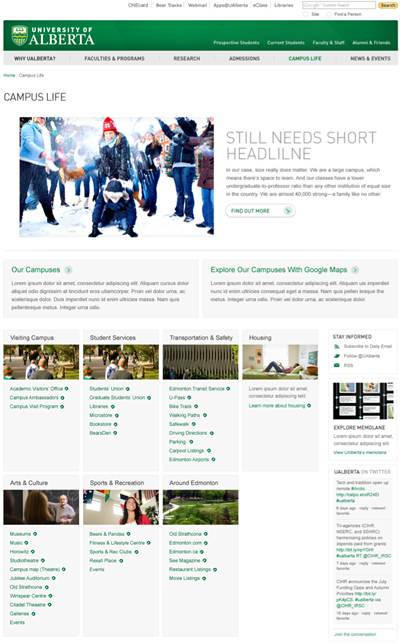
The screenshot to the right is the mockup for the campus life page.
Looking at the design and matching it to our Sitecore templates, we can break it down as follows:
- Full width feature will be used
- Navigation will be hidden
- We have inner elements that will need to stretch to the edge of the 960px box
- The 2 column format is not consistent under the feature, so a 1 column layout will be needed
- Column 1 will have several different sections or divs in order to get the desired layout
- The Memolane piece looks like something we have used before: Can we use a share piece of content?
- The Twitter feed will require the Twitter Javascrip API to be pulled in
- Our link lists will need to use the mouse-over interaction/hover mode
Based on these requirements, we can break down the page and divide the content into the appropriate sections and divs. This can be skectched on paper and then coded in a Dreamweaver template to get the correct code for inserting into Sitecore.
Use placehold.it for place holder images and do not add any links in the Dreamweaver code. Sitecore links can be added once the HTML is added to Sitecore.
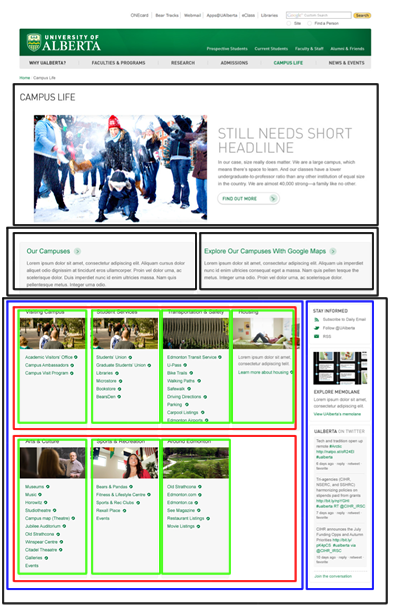
Outlining the Sections/Divs
The page has now been broken down into div or section tags that can be coded for the 1 column page. See the full size version.
Breakdown
The feature is an item in Sitecore, it will be added automatically.
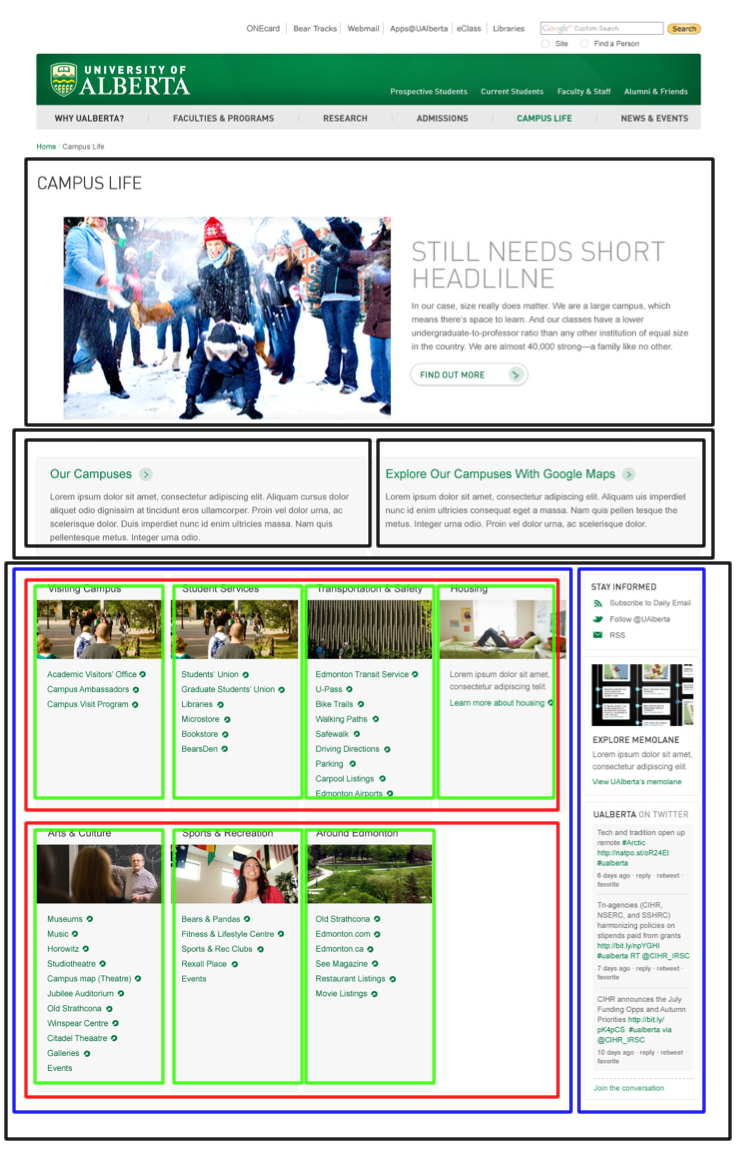
Columm 1 will be broken down as follows:
First Div
Full width, not margins or padding to hold Campuses and Maps sections.
Sections at w12 to hold the Campus and Maps content.
Second Div
1 large div, with no margins/padding to hold everything within.
2 divs to define the columns.
Within the first column div: 2 divs to define the rows. Within each row, 4 (or 3) sections for the content and links.
Within the second column, divs or sections styled on top of each other for each content area.